Your trainer knows how you slept
The watch you already own becomes part of the plan.
Most apps pull wearable data and bury it in a graph nobody opens. We use it the way a real coach would: an amber readiness day means today's HIIT becomes a walk. A red night means we rest. You wake up to a plan that already accounts for how you actually slept.
Everything your trainer knows how you slept does for you.
- Apple Watch, Health Connect, Fitbit, Garmin, Whoop, Oura — all in one place
- Sleep, HRV, resting heart rate and strain feed your daily readiness signal
- Amber readiness → your trainer swaps the session before you open the app
- Live heart rate during outdoor walks and conditioning so you stay in the right zone
- Background sync that respects your battery
- No data sold, no models trained on your numbers — they go to your trainer, full stop
What this is, plainly
Your watch already knows how you slept, what your heart rate did at 4am, and how recovered you are this morning. Most apps pull this data and bury it in a graph nobody opens. We use it the way a real coach would — to change your plan today, based on the body that woke up.
One-tap connection to the wearable you already own
From the Wearables tab, tap the provider you use, sign in to that provider's OAuth screen once, and the connection is live. Background sync runs from then on — no copy-pasting data, no manual exports, no buggy CSV imports.
Supported devices:
- Apple Watch via HealthKit (iOS — works through the PWA on iPhone)
- Health Connect on Android — Galaxy Watch, Pixel Watch, Mi Band, anything else that writes to Health Connect
- Fitbit — Charge, Sense, Versa
- Garmin — Forerunner, Fenix, Venu, Vivoactive, Edge
- Whoop — full strain and recovery integration
- Oura Ring — sleep and HRV focus
The metrics we actually use to coach you
Wearables generate a lot of data. Most apps surface all of it, raw, with no opinion. We use only the metrics that change what we tell you to do:
- Heart rate (live). Streamed during conditioning and outdoor walks, with a zone pill that updates in real time.
- HRV (overnight). The single best predictor of autonomic nervous system recovery we have. Higher HRV means more recovered.
- Resting heart rate. A cardiovascular health marker that means more in trends than in any single day's value.
- Sleep duration and stages. Useful, with the caveat that consumer wearables get sleep stages roughly right at best.
- Strain / training load. Cumulative weekly load with acute/chronic ratio so we can flag overtraining before it becomes injury.
- Steps and active minutes. Baseline activity outside structured sessions.
The readiness signal — the most important thing we do with your data
Every morning at 6am local time, the app computes a readiness score from the previous night's sleep, your latest HRV, your trailing 7-day resting heart rate, and yesterday's strain. The score is a single colour: green, amber, or red.
- Green. You are recovered. Push. The day's plan runs as written, optionally with extra volume if you feel like it.
- Amber. You are partially recovered. The HIIT block becomes a Zone-2 walk. The 5×5 squats become 5×5 at 80% of last week's load. The plan still moves forward, gentler.
- Red. You are not recovered. The session becomes mobility, breathwork, and a recovery walk. We encourage you to take it seriously rather than grind through.
The signal updates before you open the app. By the time you check your phone in the morning, today's plan already reflects how you slept. This is the part new clients tend to find genuinely surprising — the realisation that a coaching tool can adapt to the body that woke up, not just the plan that was written.
Background sync that earns its battery
Background sync is deliberately conservative. The app polls every 8 hours by default — enough to keep data fresh, not enough to drain your phone battery. On amber/red readiness days it polls every 4 hours because changes matter more. You can force a sync any time from the Wearables tab.
The sync engine handles all the awkward provider-specific quirks — Whoop's hour-late HRV updates, Garmin's sleep data lagging until afternoon, Fitbit's API rate limits, the unit differences between Apple Health versions. You see one clean dashboard with current numbers and trend arrows. We see everything we need to coach.
"I have a Garmin and a Whoop, and they tell me different things. MyPT was the first app I found that pulls both, picks the more reliable signal for each metric, and gives me one answer. The morning readiness colour is the most useful number I see all day."
— Studio client, Garmin + Whoop combo
Privacy and control
Health data is the most sensitive data we handle. The architecture reflects that:
- All storage is in EU-based data centres, encrypted at rest
- Wearable tokens use OAuth — we never see your provider password
- You can disconnect any wearable instantly from settings
- You can delete all historical wearable data with one tap
- Wearable data is never used to train AI models or shared with any third party
Your trainer knows how you slept — your questions, answered.
Which wearables work?
Apple Watch (HealthKit on iOS), any Android wearable that writes to Health Connect, Fitbit (Charge, Sense, Versa), Garmin (Forerunner, Fenix, Venu, Vivoactive), Whoop, Oura Ring, and Samsung Galaxy Watch. The system pulls heart rate, sleep, HRV, steps, calories burned, and workout sessions automatically once you connect the device.
How often does it sync?
Continuously during active sessions (heart rate streams live during conditioning and outdoor walks). In the background, the app polls every 8 hours by default, or every 4 hours on amber/red readiness days when more frequent checks matter. You can force a sync manually any time.
What does the readiness signal do, exactly?
It changes your plan before you open the app. Each morning we compute a green/amber/red score from overnight sleep, HRV, trailing 7-day resting heart rate, and yesterday's strain. Green means the day's plan runs as written. Amber means your trainer has already swapped the session to something gentler — usually before you wake up. Red means recovery work and a conversation about why.
What if I do not have a wearable?
You can still use everything. Manual entries work everywhere a wearable would. You can log a heart rate, a sleep duration, a resting HR — the readiness signal still computes from manual data. A wearable just makes the data richer and less effortful. It is not required for the coaching to work.
Does live heart rate work during outdoor walks?
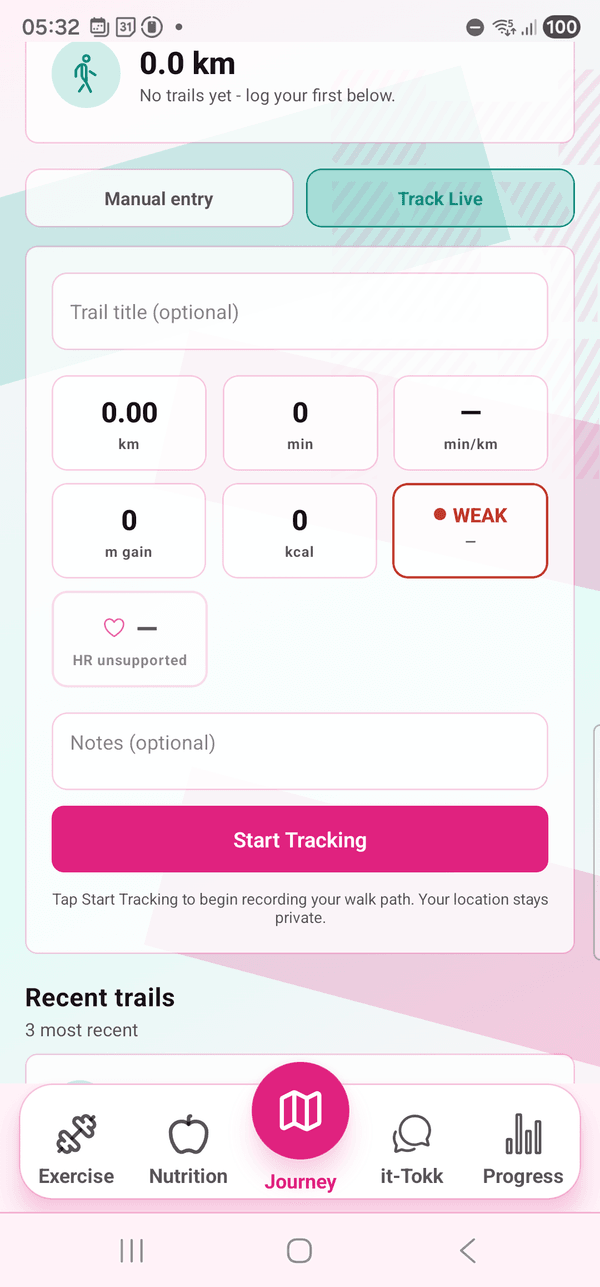
Yes. During trail navigation and walk meetups, your heart rate streams live to the map screen with a zone pill that updates in real time. If you drift out of your target zone, the app cues you back. This is especially useful for Zone-2 base building where most people accidentally walk too fast.
How is health data handled?
Health data is the most sensitive data we process. Storage is EU-only, encrypted at rest. Wearable tokens use OAuth — we never see your provider account password. You can disconnect any wearable instantly from settings and delete any historical data already imported. Your data is never sold or shared with third parties for any purpose, and it is never used to train AI models.
The features that work best with this one.
When you are ready, we will be too.
Install the app, take a look around, train with us in person whenever it feels right. There is no rush, no upsell, and no waiting list you cannot get on.